Welcome to visit NJU Charging - Gulou or NJU Charging - Xianlin
The origin of all this came from a night in September when I couldn't find a charging station... In fact, there was already a NJU Charging webpage before that: https://charge.zhuxh.net/
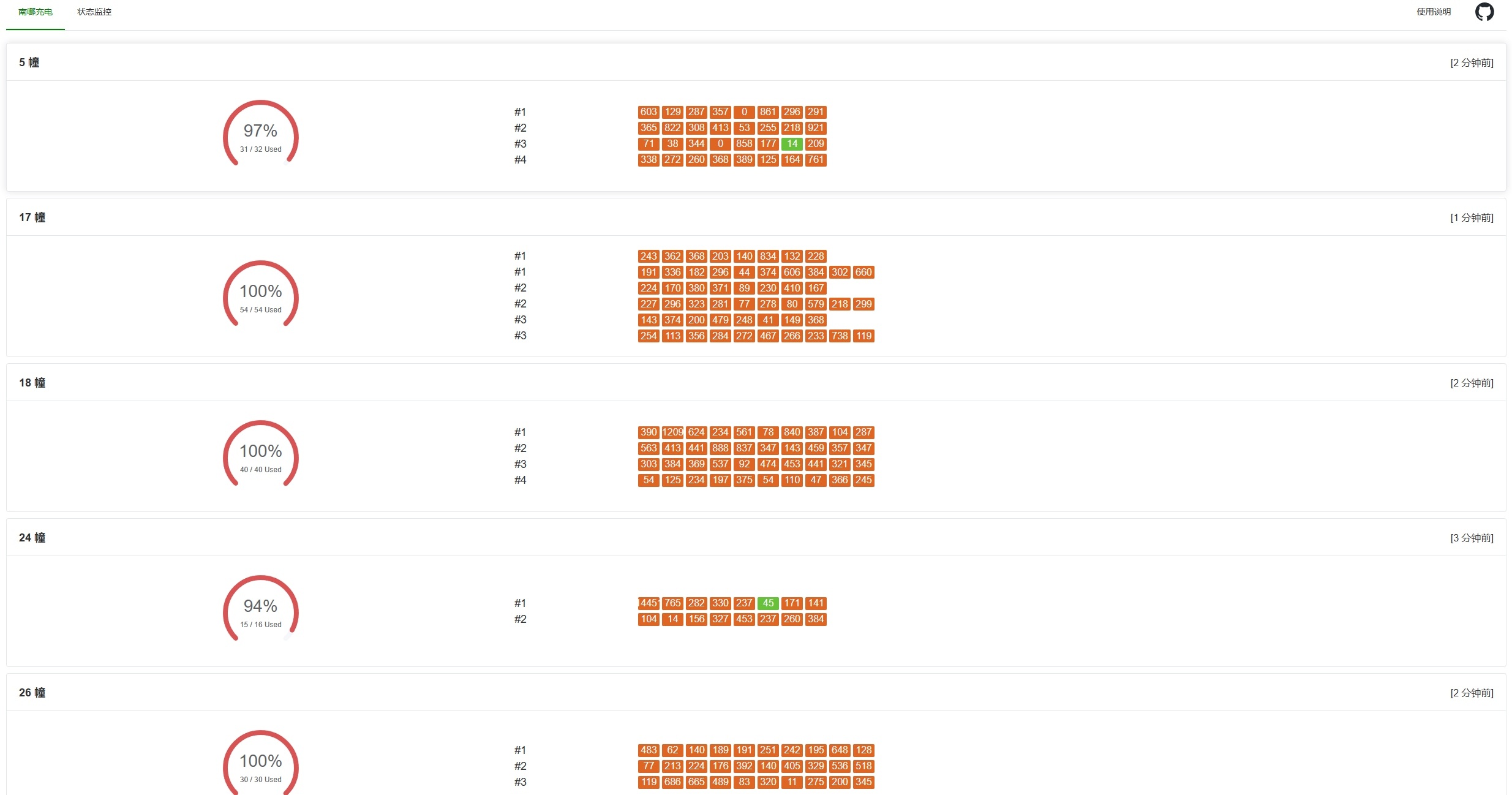
However, personally I felt it was still lacking something. I could only see at a glance where there were available spots, but since charging stations are in short supply, when I wanted to charge, it was likely all red, or the only green spots were far away from me.
So I decided to write my own, which can display the estimated remaining time, making it convenient for me to wait in advance , outcompete you all
Backend Data Scraping
Web scraping is still quite simple for me, after all I've written several scraping-related projects. Reqable, let's go!
Getting Charging Station IDs
First, I filtered out the charging stations belonging to NJU Xianlin from a pile of requests in Shankai Laidian, and got the station_id of each charging station. This step was purely manual copying, the specific IDs are as follows:
Getting Socket IDs Under Each Charging Station
The previous step only had 33 charging stations, which was acceptable to copy manually, but if I had to manually copy 302 socket IDs, please spare me.
Written on June 16, 2025: Why do so many of the newly added charging stations have only two sockets each, causing me to manually copy station_id for a long time today. Currently, Xianlin campus has a total of 112 charging stations and 724 sockets.
From f'https://wemp.issks.com/charge/v1/outlet/station/outlets/{station_id}' you can get information about each charging station, including the socket IDs.
Finally, Let's Get the Status of Each Socket
In the previous step, we can get the outletNo of each charging socket under each charging station (such as the School of Astronomy). In this step, we can get the specific status of each socket from f'https://wemp.issks.com/charge/v1/charging/outlet/{outletNo}' based on outletNo!
Response example:
CodeBlock Loading...
Actually, a lot of the information inside is unnecessary. I just need to extract the socket name, estimated remaining time, used time, status code (available, fault, minute billing mode, fixed amount mode), and whether there's an error message. At the same time, I calculate an estimated available time for the frontend to display directly (after all, my frontend skills are really weak). The code is as follows:
Fortunately, getting the status doesn't require a token, and the sockets under each station are completely fixed. After that, updating the data just requires repeating this step based on the existing outletNo.
Data Post-processing
When I deployed it myself, I used multithreading (302 data entries take about 2 seconds to process, and in practice it doesn't trigger rate limiting) to run, and scheduled data updates every minute on the backend server.
To make it easier for the frontend to call, I also sorted the data by remaining time in the backend, and reorganized the charging stations from the original machine number xx grouping to building xx grouping:
First Version of Frontend
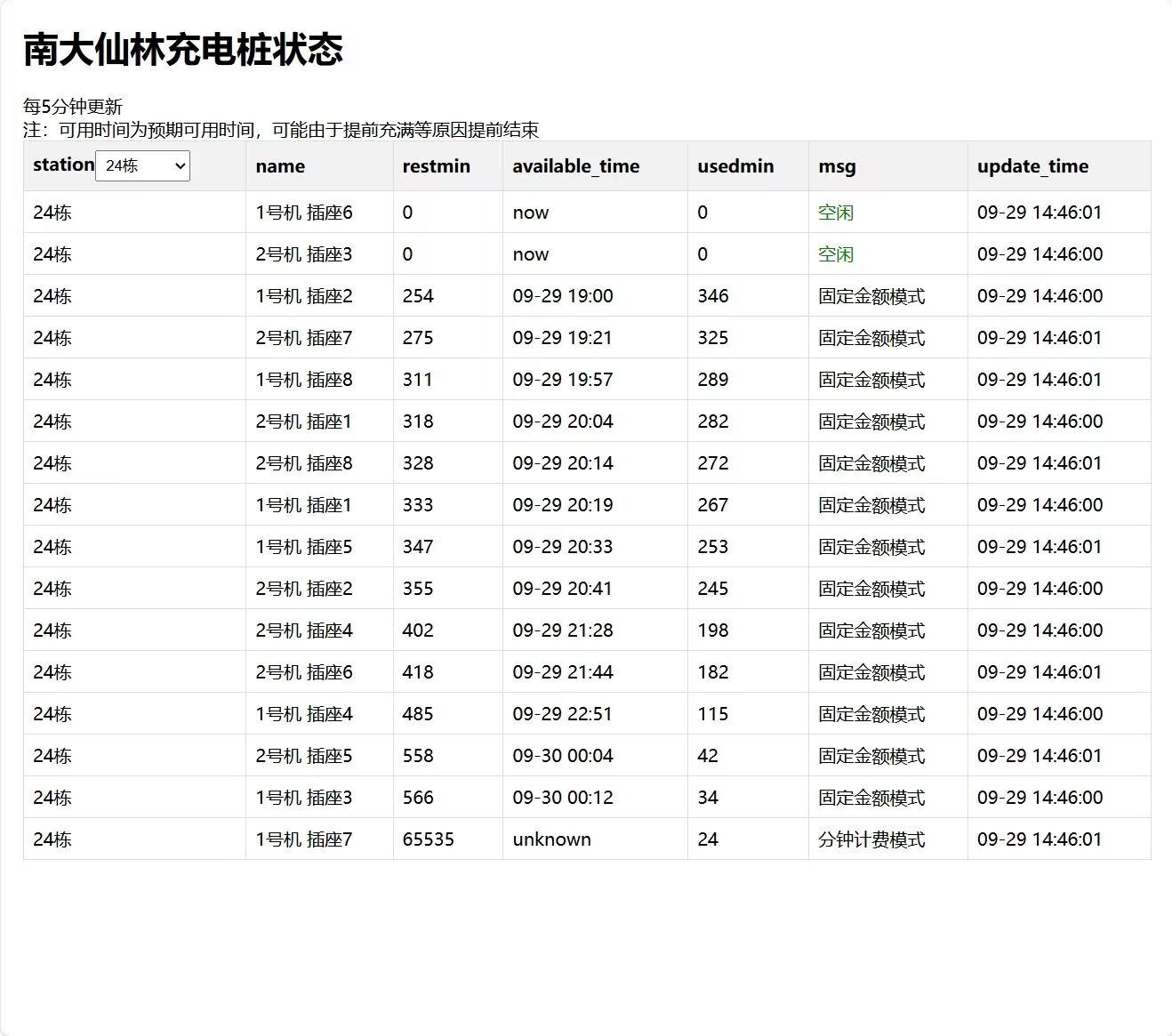
After all, being a frontend idiot, my first version of the frontend was generated using Python. >_< Posting it here for everyone to laugh at
CodeBlock Loading...
And the interface was quite rudimentary, but at least I used GPT to help me generate a piece of JS code for filtering stations
Second Version of Frontend
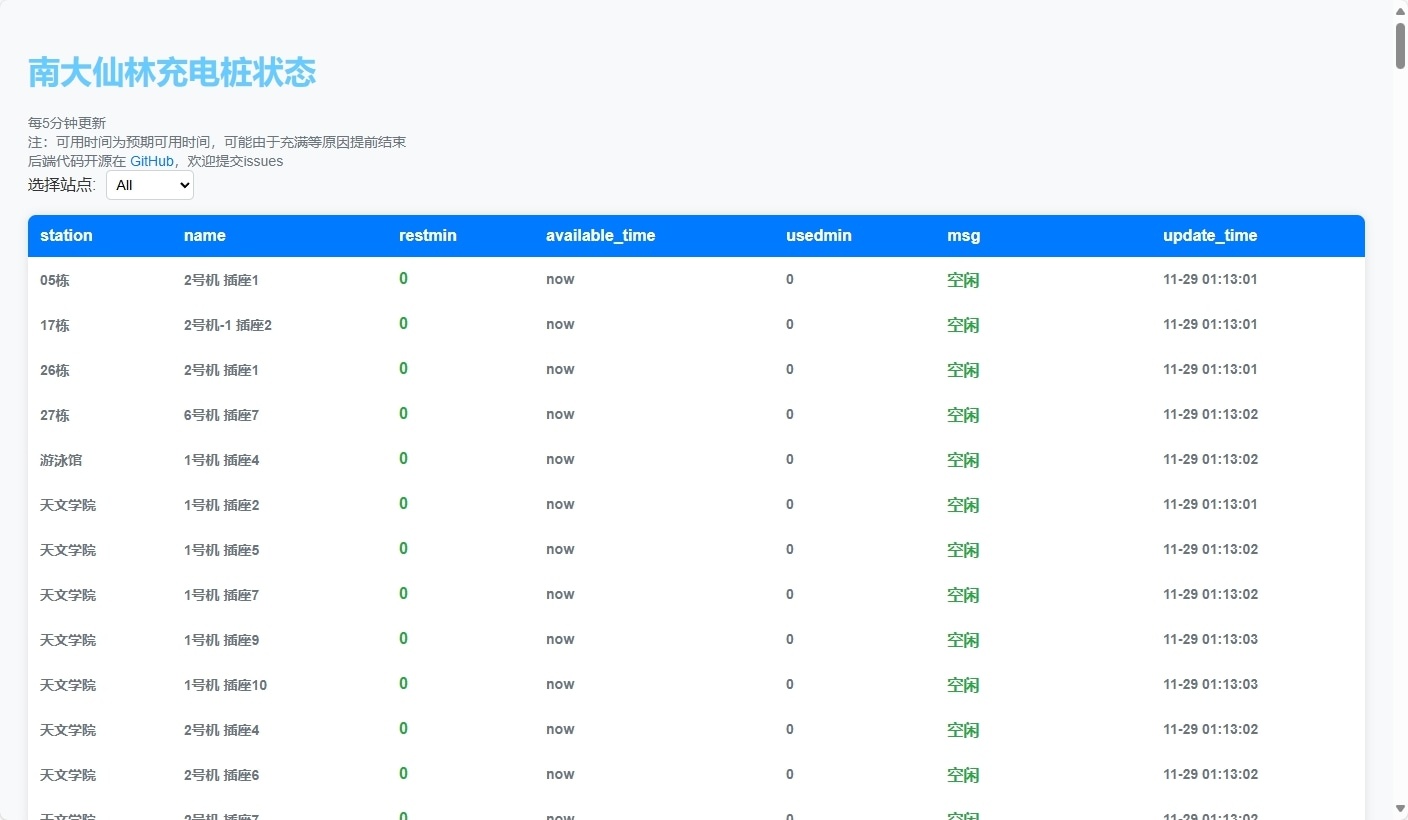
The so-called second version was just writing a few lines of CSS to try to save this interface.
Third Version of Frontend
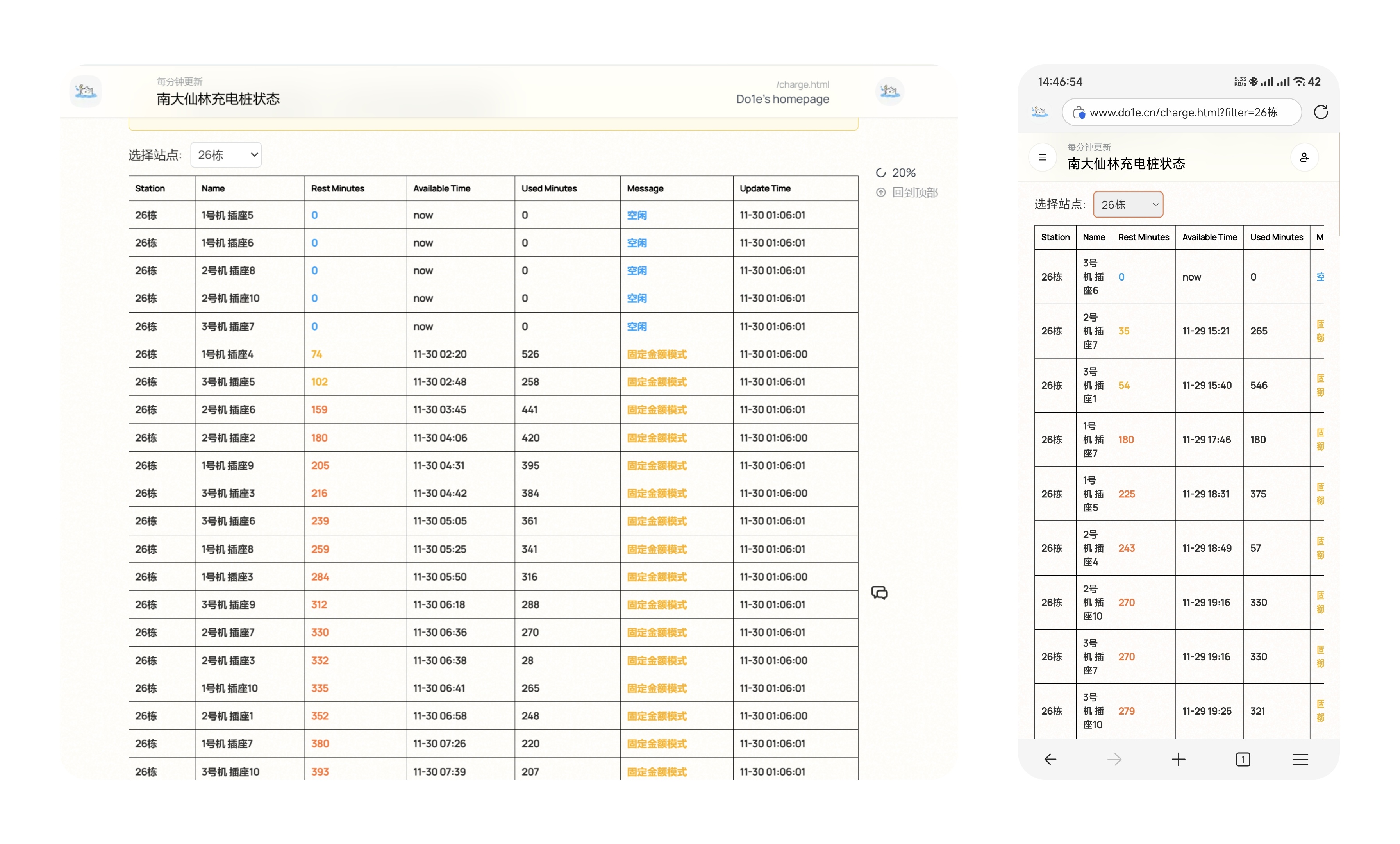
I started working on my new personal homepage. Since Mix Space supports writing Markdown with JavaScript, I mounted /charge.html under my personal homepage, and also improved the original filtering function. When filtering, it will change the URL parameters, so that after refreshing, it can remember the station the user filtered last time and display it directly.
CodeBlock Loading...
Fourth Version of Frontend
Since I used tables for display from the first version, as you can see from the images above, the experience on mobile phones, which is the more common use case, was truly hard to describe. So I made up my mind to refactor the UI for half a day, and added a summary table at the beginning, making it more convenient to plan charging destinations.
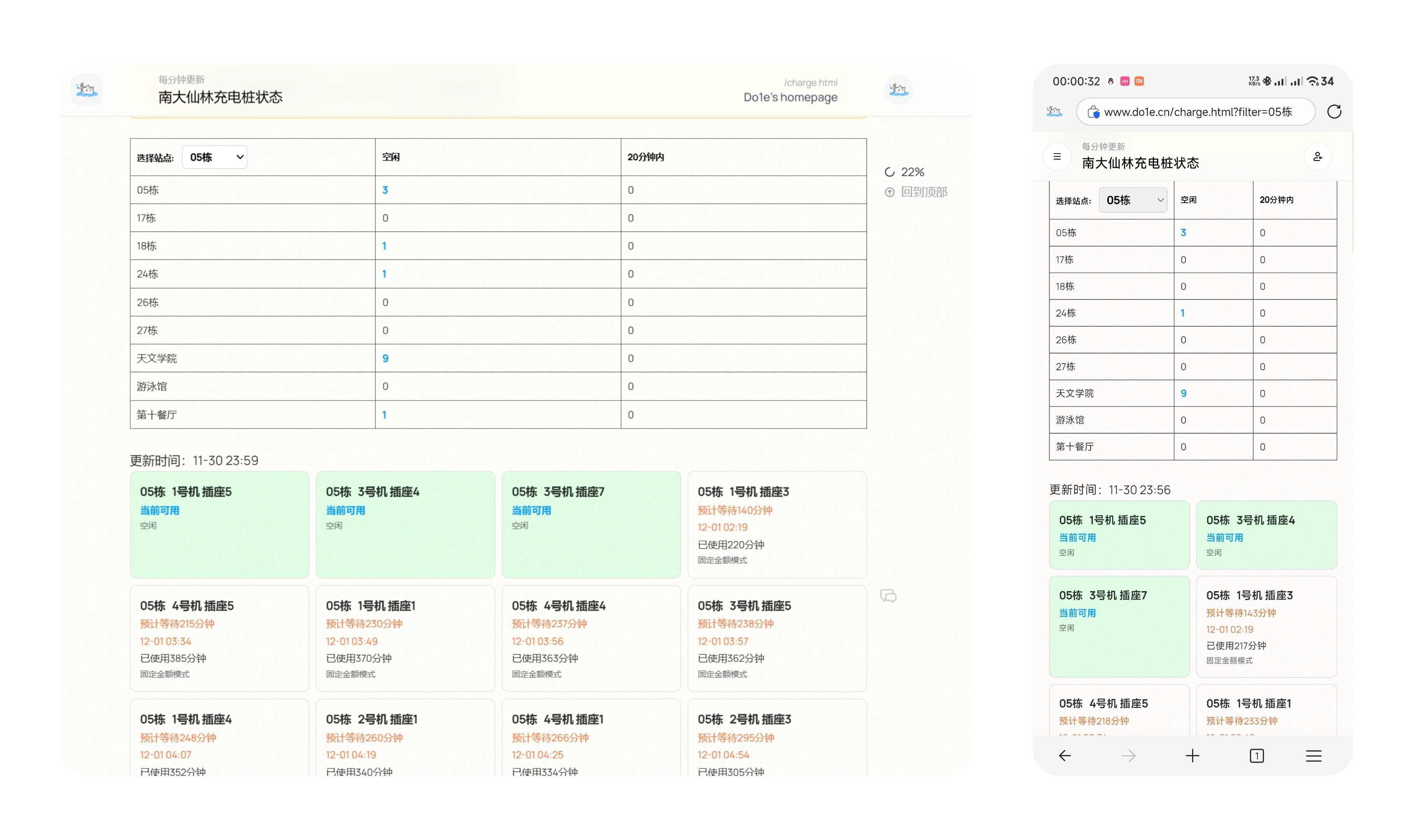
Basically all the frontend and backend code is in the GitHub repository below. You're welcome to use it, but please comply with the MIT license and keep my copyright information when using it.
Subsequent Minor Updates
- 2024-12-01: Added Gulou campus.
- 2025-01-07: Today I suddenly discovered that charging now requires topping up and billing by minutes, how annoying. Updated to sort by used time in reverse order. According to the instructions provided by Shankai Charging, this time has a maximum of 480 minutes, so at least it can serve as a reference to roughly know which charging station is about to finish.
- 2025-02-22: In minute billing mode, users can now choose the pre-paid amount themselves, so the estimated available time can be calculated based on this. However, considering that some people choose a higher amount to fully charge, and the precision of the values returned by the interface leads to lower calculation precision, this is for reference only. The electricity billing mode can theoretically also be estimated, but considering there's no way to directly read the power from the interface, I won't implement it for now.
- 2025-06-16: Added multiple charging stations in Gulou and Xianlin. (Socket count change: Gulou 148->308, Xianlin 302->724)
- 2025-06-22: It seems the system's maximum charging time is 480 minutes, so I modified the remaining time estimation based on this.
- 2025-09-09: Removed the historical charging record feature.
- 2025-10-11: Updated charging stations.