広告規則によるMicrosoft Clarityのブロッキングを回避するためのリバースプロキシ
はじめに
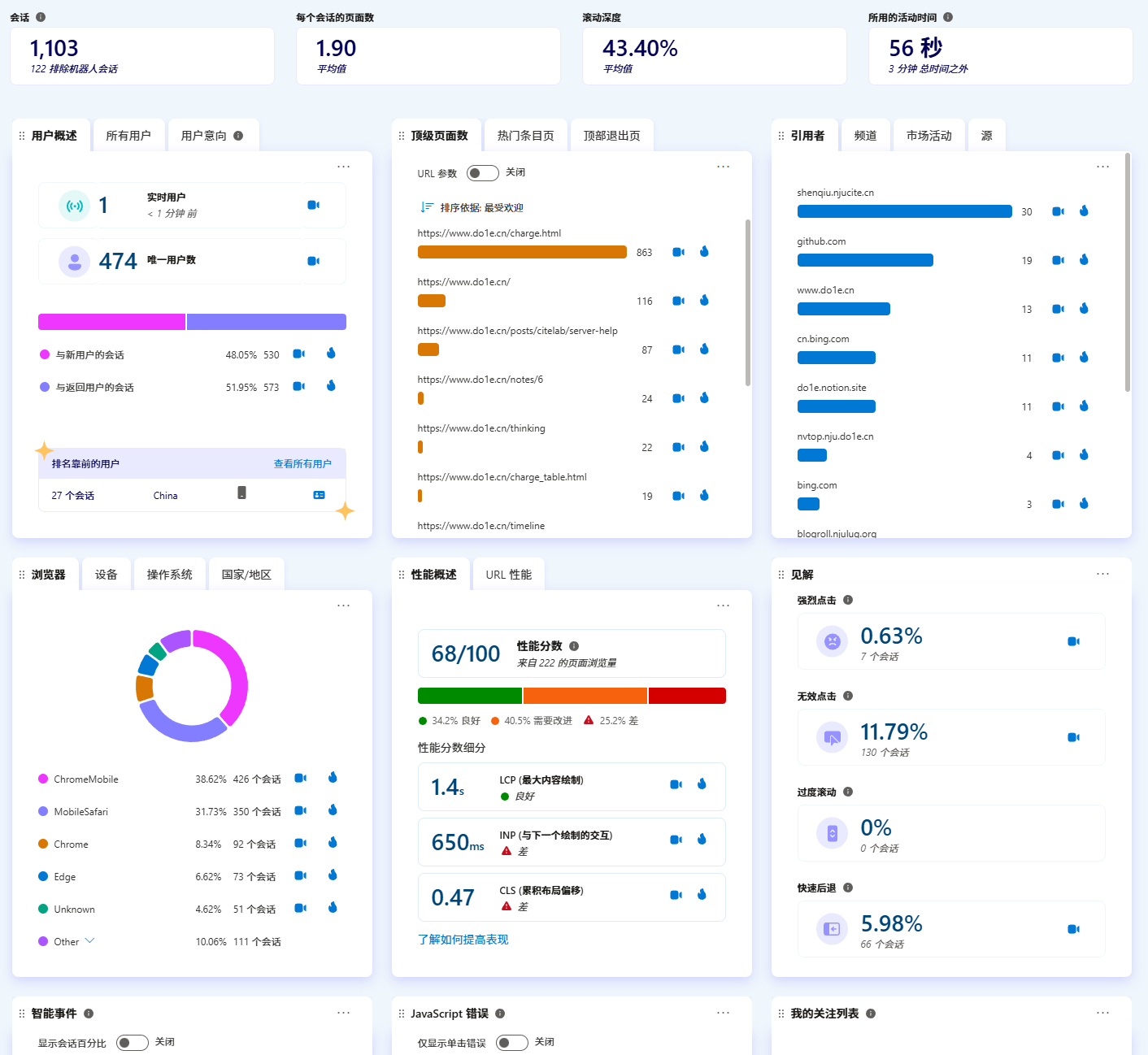
Microsoft Clarity は、ウェブサイトへのアクセスユーザーの行動を分析できるツールであり、このサイトも導入しています。
個人的には非常に便利だと感じており、暇なときにサイトのアクセス状況を確認できます。
設定も簡単で、<head>タグ内にバックエンドから提供される1行のコードを追加するだけで完了します。

ただし、多くの広告規則がClarityのドメインをブロックするため、ユーザー接続情報が不足してしまうことがあります。これを回避するには、nginxによるリバースプロキシを自前のドメインに設定することで対応可能です。以下に具体的な手順を示しますので、参考にしてください。
リクエストの分析
以下の例は、<head>タグに追加されたコードです。
<script type="text/javascript">
(function(c,l,a,r,i,t,y){
c[a]=c[a]||function(){(c[a].q=c[a].q||[]).push(arguments)};
t=l.createElement(r);t.async=1;t.src="https://www.clarity.ms/tag/"+i;
y=l.getElementsByTagName(r)[0];y.parentNode.insertBefore(t,y);
})(window, document, "clarity", "script", "abcdefg");
</script>
または、ブラウザの開発者ツールでパケットをキャプチャすると、関連するコードがまず https://www.clarity.ms/tag/abcdefg をリクエストし、ダウンロードした後はJavaScriptスクリプトとして実行されます:
(function (c, l, a, r, i, t, y) {
function sync() {
(new Image()).src = "https://c.clarity.ms/c.gif";
}
if ("complete" == document.readyState) {
sync();
} else {
window.addEventListener("load", sync);
}
if (a[c].v || a[c].t) {
return a[c]("event", c, "dup." + i.projectId);
}
a[c].t = true;
t = l.createElement(r);
t.async = true;
t.src = "https://www.clarity.ms/s/0.8.13-beta/clarity.js";
y = l.getElementsByTagName(r)[0];
y.parentNode.insertBefore(t, y);
a[c]("start", i);
a[c].q.unshift(a[c].q.pop());
a[c]("set", "C_IS", "0");
}) (
"clarity",
document,
window,
"script",
{
projectId: "abcdefg",
upload: "https://z.clarity.ms/collect",
expire: 365,
cookies: ["_uetmsclkid", "_uetvid"],
track: true,
content: true,
unmask: ["body"],
dob: 2002
}
);
上記に含まれる3つのリンクは以下の通りです:
- https://c.clarity.ms/c.gif
- https://www.clarity.ms/s/0.8.13-beta/clarity.js
- https://z.clarity.ms/collect
これらすべてを置き換える必要があります。
リンクの置き換えとリバースプロキシの設定
仮にあなたのドメインが example.com であると仮定し、サブドメイン clarity.example.com を作成して、パブリックなnginxサーバーに解決させます。
このとき、https://www.clarity.ms/tag/abcdefg にアクセスして取得したスクリプトを /var/www/html/tag/abcdefg に保存します。
mkdir -p /var/www/html/tag
wget https://www.clarity.ms/tag/abcdefg -O /var/www/html/tag/abcdefg
その後、上記の3つのリンクをそれぞれ以下のように置き換えます:
- https://clarity.example.com/c.gif
- https://clarity.example.com/s/0.8.13-beta/clarity.js
- https://clarity.example.com/collect
さらに、https://www.clarity.ms/s/0.8.13-beta/clarity.js を /var/www/html/s/0.8.13-beta/clarity.js にダウンロードする必要があります。おそらくあなたが見ている時点ではバージョンが異なる可能性があるため、それに合わせて調整してください。上述の /var/www/html ディレクトリは自由に変更可能ですが、nginxプロセスがアクセスできないように権限に注意が必要です。ディレクトリ構造は以下のようになります:
> tree /var/www/html
/var/www/html
├── clarity.js
├── s
│ ├── 0.8.13-beta
│ │ └── clarity.js
│ └── 0.8.9
│ └── clarity.js
└── tag
├── abcdefg
└── hijklmn
5 directories, 5 files
nginxリバースプロキシの設定例:
server {
listen 80;
listen [::]:80;
listen 443 ssl;
listen [::]:443 ssl;
server_name clarity.example.com;
if ($scheme = http) {
return 301 https://$host$request_uri;
}
location /c.gif {
proxy_pass https://c.clarity.ms$request_uri;
proxy_http_version 1.1;
proxy_set_header Upgrade $http_upgrade;
proxy_set_header Connection "upgrade";
proxy_set_header Host $host;
proxy_set_header X-Real-IP $remote_addr;
proxy_set_header X-Real-PORT $remote_port;
proxy_set_header X-Forwarded-For $proxy_add_x_forwarded_for;
}
location /collect {
proxy_pass https://z.clarity.ms$request_uri;
proxy_http_version 1.1;
proxy_set_header Upgrade $http_upgrade;
proxy_set_header Connection "upgrade";
proxy_set_header Host $host;
proxy_set_header X-Real-IP $remote_addr;
proxy_set_header X-Real-PORT $remote_port;
proxy_set_header X-Forwarded-For $proxy_add_x_forwarded_for;
}
root /var/www/html;
}
ウェブサイトの再設定
元々ウェブサイトの <head> に追加していたスクリプト内の www.clarity.ms を clarity.example.com に置き換えます。これで完了です。実際にサイトにアクセスして、バックエンドにリアルタイムのユーザーが表示されているか確認してみてください!
欠点
- この方法を採用すると、バックエンドで表示されるすべてのアクセスの地理的場所が、このnginxサーバーの位置に統一されてしまいます。もしマイクロソフトがリクエストヘッダーで地理情報を判断できればよいのですが…。
clarity.jsの自動アップデートはできません。ただし、自動化するスクリプトを作成することも可能です。参考コード:
import os
import re
import requests
from dotenv import load_dotenv
load_dotenv()
PROJECT_ID = os.getenv("PROJECT_ID")
BASE_DIR = os.getenv("BASE_DIR", "/var/www/html/clarity")
CUSTOM_DOMAIN = os.getenv("CUSTOM_DOMAIN")
NGINX_CONF = os.getenv("NGINX_CONF", "/etc/nginx/conf.d/clarity.conf")
if not PROJECT_ID:
raise ValueError("PROJECT_ID is not set in the environment variables.")
if not CUSTOM_DOMAIN:
raise ValueError("CUSTOM_DOMAIN is not set in the environment variables.")
def get_index(try_times = 5):
resp = requests.get(f'https://www.clarity.ms/tag/{PROJECT_ID}')
if resp.status_code != 200:
if try_times > 0:
return get_index(try_times - 1)
raise RuntimeError(f"Failed to fetch data from Clarity. Status code: {resp.status_code}\n{resp.text}")
return resp
def get_script(url, try_times = 5):
resp = requests.get(url)
if resp.status_code != 200:
if try_times > 0:
return get_script(url, try_times - 1)
raise RuntimeError(f"Failed to fetch Clarity script. Status code: {resp.status_code}\n{resp.text}")
return resp
resp = get_index()
script_content = resp.text
clarity_js_url = re.search(r'https://www.clarity.ms/s/[^"\s]+\.js', script_content)
if not clarity_js_url:
raise RuntimeError("Clarity script URL not found in the response.")
clarity_js_url = clarity_js_url.group(0)
upload_url = re.search(r'"upload":"([^"\s]+)"', script_content)
if not upload_url:
raise RuntimeError("Upload URL not found in the response.")
upload_url = upload_url.group(1)
clarity_js_version = clarity_js_url.split('/')[-2]
clarity_js_path = os.path.join(BASE_DIR, 's', clarity_js_version, 'clarity.js')
if not os.path.exists(clarity_js_path):
resp = get_script(clarity_js_url)
os.makedirs(os.path.dirname(clarity_js_path), exist_ok=True)
with open(clarity_js_path, 'wb') as f:
f.write(resp.content)
with open(NGINX_CONF, 'w') as f:
f.write("""server {
listen 80;
listen [::]:80;
listen 443 ssl;
listen [::]:443 ssl;
server_name %s;
if ($scheme = http) {
return 301 https://$host$request_uri;
}
location /c.gif {
proxy_pass https://c.clarity.ms$request_uri;
proxy_http_version 1.1;
proxy_set_header Upgrade $http_upgrade;
proxy_set_header Connection "upgrade";
proxy_set_header Host $host;
proxy_set_header X-Real-IP $remote_addr;
proxy_set_header X-Real-PORT $remote_port;
proxy_set_header X-Forwarded-For $proxy_add_x_forwarded_for;
}
location /collect {
proxy_pass https://%s$request_uri;
proxy_http_version 1.1;
proxy_set_header Upgrade $http_upgrade;
proxy_set_header Connection "upgrade";
proxy_set_header Host $host;
proxy_set_header X-Real-IP $remote_addr;
proxy_set_header X-Real-PORT $remote_port;
proxy_set_header X-Forwarded-For $proxy_add_x_forwarded_for;
}
root %s;
}
""" % (CUSTOM_DOMAIN, upload_url.split('/')[2], BASE_DIR))
os.system('nginx -s reload')
new_script_content = script_content.replace(
'www.clarity.ms',
CUSTOM_DOMAIN
).replace(
upload_url.split('/')[2],
CUSTOM_DOMAIN
).replace(
'c.clarity.ms',
CUSTOM_DOMAIN
)
with open(os.path.join(BASE_DIR, 'tag', PROJECT_ID), 'w') as f:
f.write(new_script_content)
``